


2012 JK System Build - New HU, speakers, sub, amp and wiring


Thread Starter
JK Newbie
Joined: Sep 2012
Posts: 17
Likes: 0
From: Rhode Island
 2012 JK System Build - New HU, speakers, sub, amp and wiring
I have had the system in the Jeep for a while and wanted to finally post about the install. When I purchased the Jeep, I specifically got it with the base 130 and Connectivity package. I knew I was going to replace the entire system as I was coming from a Ford Escape that I also did a complete install on. I wanted the Connectivity package to have the EVIC and steering wheel functions. I also wanted the 7-speaker Infinity system to have a template and the "sub tub" in the back - but did not want the 430 or 730 HU since I was going aftermarket.
First the goods:
Pioneer DEH-P9400BH - Single DIN unit that has everything I need. BT, Sirius ready, 3 sets of RCA outs, EQ, HP/LP filters.
JL Audio C2-650 - Component set for front
JL Audio C2-650x - Coaxials for soundbar
JL 8W3 sub
JL XD700/5 - 5-channel amp
PAC Audio C2R-CHY4 Harness
PAC SWI (kept from my Esape)
All new speaker wiring,
Sirius receiver and antenna adaptor (from Escape)
Knu Concepts 4 gauge kit
The install is a basic passive cross-over plan for the fronts with fill for the rear. I love PAC harnesses and SWI interfaces due to the easy plug, program and play. No nonsense guessing wire colors etc. The HU was chosen because I wanted to keep Sirius (had the tuner and adaptor already), is a detachable face, has 3 sets of pre-outs and EQ and filter settings.
After debating on where to place the amp I decided to install in the rear of the tub. I thought of under the seats but wanted it done and did not feel like fabricating anything. Just simple. I also decided up front that I was not going to splice into anything. I went with the PAC-Audio harness to not cut factory wiring. Also I left all factory speaker wiring intact and ran 100% new wiring from the HU back. That way if I were to ever *gasp* get rid of the Jeep, I can revert to stock.
However even the most basic install for me is not basic. No half-assing anything. This is a complete install with everything done correctly and safely. All proper butt connections and heat shrink. I hate rattles or things coming loose so no wire ties and electrical tape connections here.
I also ran a second battery run (12 gauge) to under the dash to be relayed (by HU remote out) to supply turn on power to my amp, lights Sirius receiver. I don't use harness power for anything other than HU. Plus for the HU remote out I like to minimize the mA draw and just power the relay. So basically the HU remote out triggers the relay. The relay supplies +12v to then power my amp remote, light switch and Sirius adaptor power. All properly fused.
Both 4 gauge and 12 gauge I ran through the firewall using the open spot where the clutch would be (mine is Auto). All loomed and zip-tied under the hood and into the tub.
First the goods:
Pioneer DEH-P9400BH - Single DIN unit that has everything I need. BT, Sirius ready, 3 sets of RCA outs, EQ, HP/LP filters.
JL Audio C2-650 - Component set for front
JL Audio C2-650x - Coaxials for soundbar
JL 8W3 sub
JL XD700/5 - 5-channel amp
PAC Audio C2R-CHY4 Harness
PAC SWI (kept from my Esape)
All new speaker wiring,
Sirius receiver and antenna adaptor (from Escape)
Knu Concepts 4 gauge kit
The install is a basic passive cross-over plan for the fronts with fill for the rear. I love PAC harnesses and SWI interfaces due to the easy plug, program and play. No nonsense guessing wire colors etc. The HU was chosen because I wanted to keep Sirius (had the tuner and adaptor already), is a detachable face, has 3 sets of pre-outs and EQ and filter settings.
After debating on where to place the amp I decided to install in the rear of the tub. I thought of under the seats but wanted it done and did not feel like fabricating anything. Just simple. I also decided up front that I was not going to splice into anything. I went with the PAC-Audio harness to not cut factory wiring. Also I left all factory speaker wiring intact and ran 100% new wiring from the HU back. That way if I were to ever *gasp* get rid of the Jeep, I can revert to stock.
However even the most basic install for me is not basic. No half-assing anything. This is a complete install with everything done correctly and safely. All proper butt connections and heat shrink. I hate rattles or things coming loose so no wire ties and electrical tape connections here.
I also ran a second battery run (12 gauge) to under the dash to be relayed (by HU remote out) to supply turn on power to my amp, lights Sirius receiver. I don't use harness power for anything other than HU. Plus for the HU remote out I like to minimize the mA draw and just power the relay. So basically the HU remote out triggers the relay. The relay supplies +12v to then power my amp remote, light switch and Sirius adaptor power. All properly fused.
Both 4 gauge and 12 gauge I ran through the firewall using the open spot where the clutch would be (mine is Auto). All loomed and zip-tied under the hood and into the tub.


JK Enthusiast
Joined: Jul 2011
Posts: 358
Likes: 0
From: Ca
Thread Starter
JK Newbie
Joined: Sep 2012
Posts: 17
Likes: 0
From: Rhode Island
UConnect commands the factory HU and some of that functionality is lost when going to a new HU.
But some of those are retained depending on the HU you choose. So for my instance I lost the voice command of the HU. I also lost the Blue Tooth capability.
My HU has built in BT so that was by default retained - although no longer controlled by UConnect. My HU does not have voice recognition so I manually select my music using buttons.
The UConnect parts that are retained are the wheel buttons and the EVIC screen. The actual functionality of UC is no longer active.
Ill post up full pics later tonight with more details on the install.
But some of those are retained depending on the HU you choose. So for my instance I lost the voice command of the HU. I also lost the Blue Tooth capability.
My HU has built in BT so that was by default retained - although no longer controlled by UConnect. My HU does not have voice recognition so I manually select my music using buttons.
The UConnect parts that are retained are the wheel buttons and the EVIC screen. The actual functionality of UC is no longer active.
Ill post up full pics later tonight with more details on the install.
Trending Topics
Thread Starter
JK Newbie
Joined: Sep 2012
Posts: 17
Likes: 0
From: Rhode Island
Attachment 381327
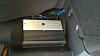


Speaker in the tombstone, amp and wiring, under the glove box where I mounted the crossovers.
Speaker in the tombstone, amp and wiring, under the glove box where I mounted the crossovers.