


My Carputer...


Thread Starter
JK Newbie
Joined: Mar 2009
Posts: 23
Likes: 0
From: Cedaredge, CO
 My Carputer...
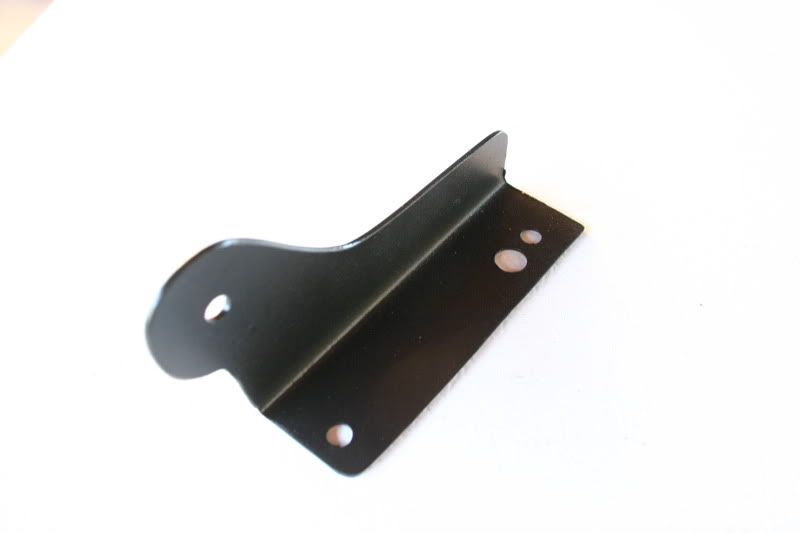
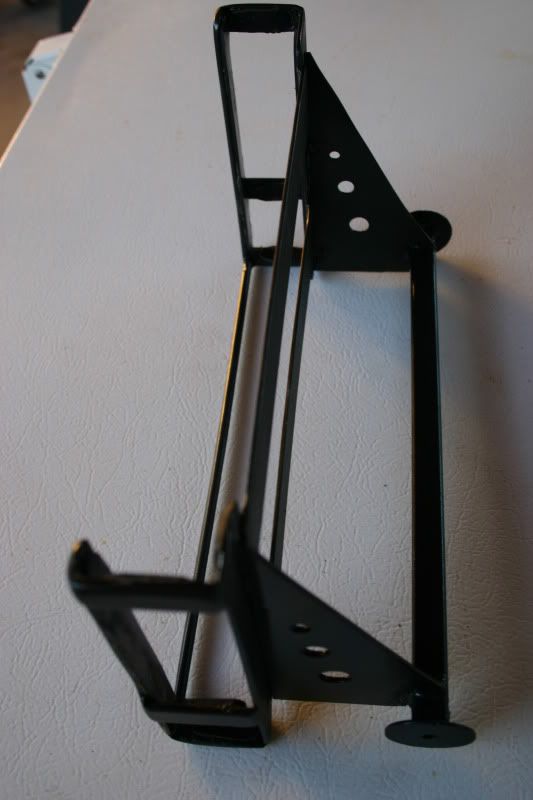
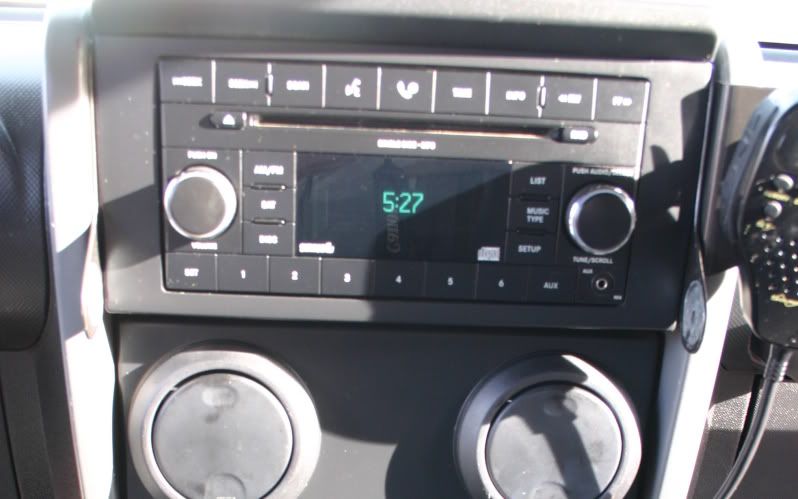
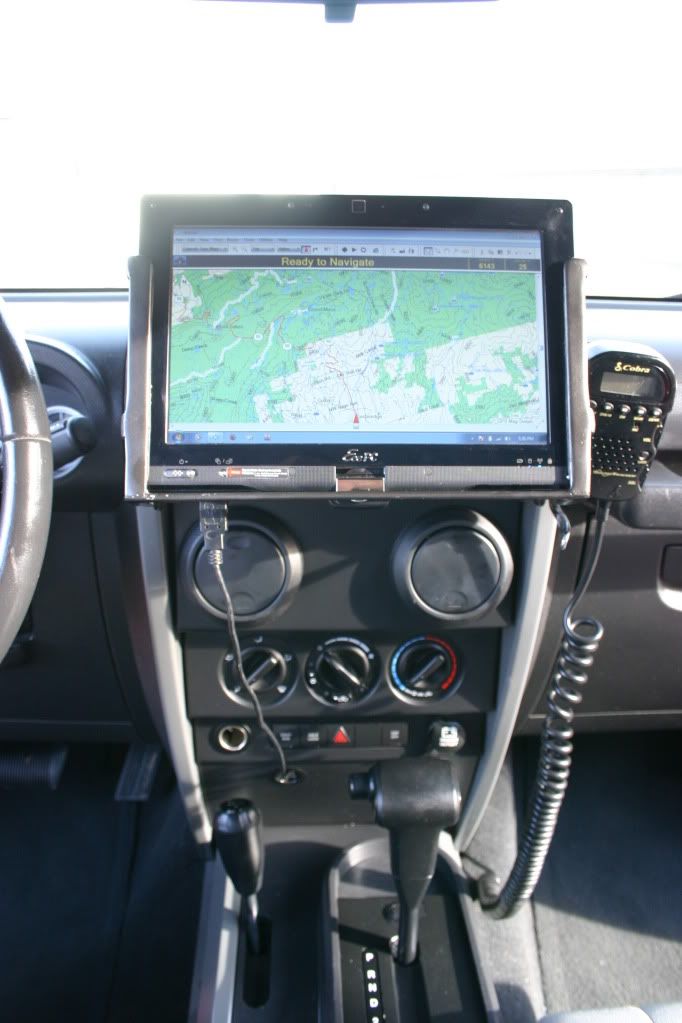
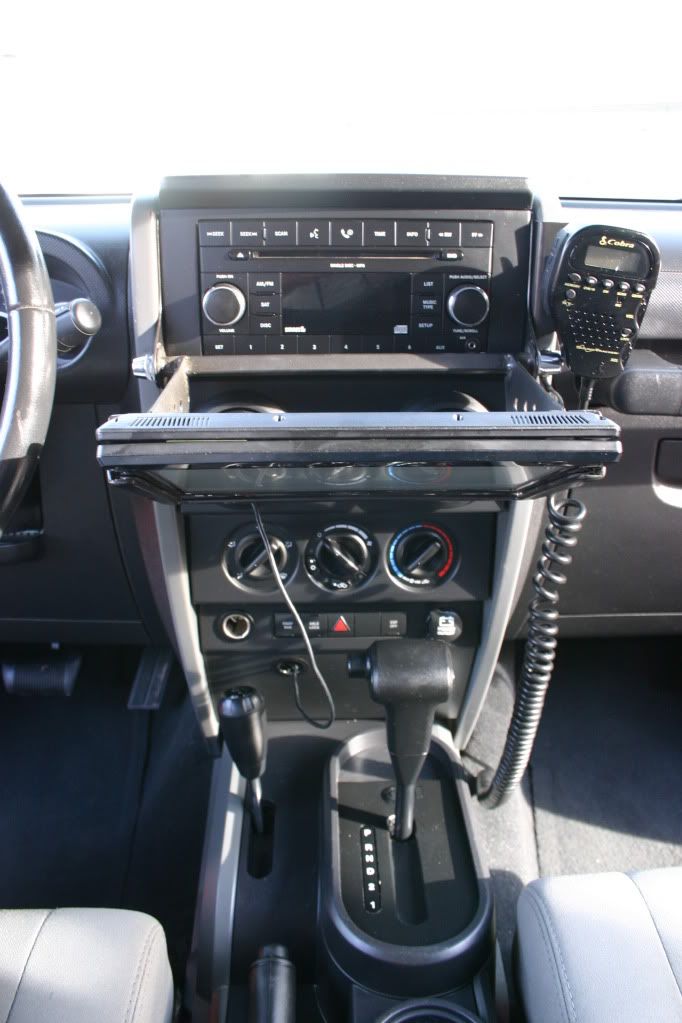
Thought I would share my little project I did to get some offroad navigation. I'm using a 10" Asus Eeepc T101MT Touch screen netbook for the computer and Nroute and Mapsource for the mapping software. I'm using a single USB cable that connects to the computer, that cable runs behind the dash and connects to a 4 port hub. The hub connects the Garmin GPS puck, a bluetooth dongle, and a headphone jack that is hard wired into the aux port of the factory stereo so I can listen to mp3s and video stored on the computer over the factory speakers.
Last edited by Summiteer; Mar 25, 2012 at 07:41 PM.

JK Super Freak
Joined: Oct 2009
Posts: 1,605
Likes: 0
From: 54° 4.5' N 123° 7' W
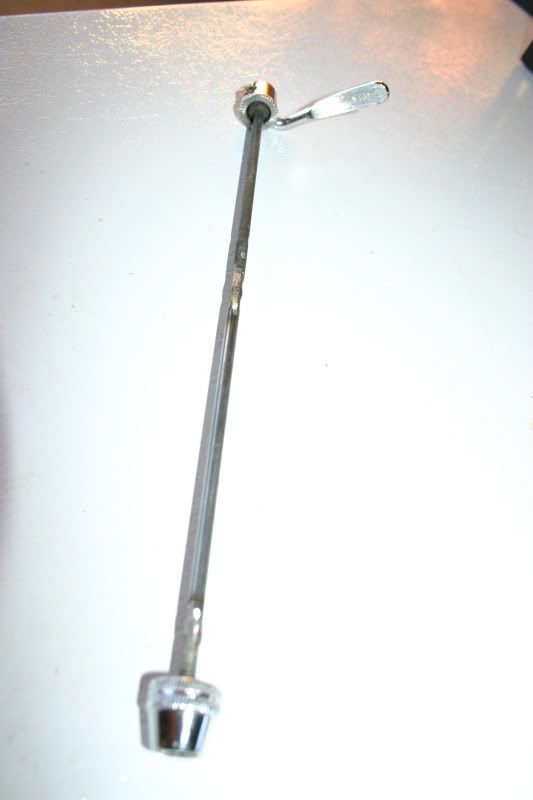
Nice work - I like the quick release bike hub fitting! Did you do all the fab work for the brackets? I use a 7" tablet for the same things - Right now I have it visor mounted but want to move it around where you have it also.
Thread Starter
JK Newbie
Joined: Mar 2009
Posts: 23
Likes: 0
From: Cedaredge, CO
The brackets are an 18ga steel and I just shaped them with a grinder and bent them using my vice. I first made a couple templates out of card stock until I got the fit just right. I scavenged the quick release off of my wife's bike and haven't replaced it yet... of coarse she wanted to go for a bike ride today lol.

JK Enthusiast
Joined: Aug 2011
Posts: 335
Likes: 0
From: West Palm, Florida
Well done! I like the dual function of the flip. Biggest headache about a carputer is how to hook it to audio. If keeping headunit, where do you put your screen. If using a dedicated amp, then the headach of where to install it etc. I have a done a good number of carputers from simple laptop/headunit/screen setups to fully integrated pc desktop/amp/screen and its always a unique challenge. Been considering putting one in my jeep for a bit now but cant decide yet on what path.
Thread Starter
JK Newbie
Joined: Mar 2009
Posts: 23
Likes: 0
From: Cedaredge, CO
Thanks! It really does function very well albeit lacking a bit in the aesthetic department... but not too bad lol. I really like the cop4x4 ipad mount ( http://shopcop.cop4x4.com/content/ip...ocking-station ) But haven't looked into the functionality of an ipad vs a real computer yet. If the ipad can give me what I want I may go that route for the cleaner look.
JK Super Freak
Joined: Mar 2011
Posts: 1,934
Likes: 0
From: Seattle, WA
Looks cool. I mounted my 7in tablet using RAM mounts attached to the Vector e-dock. The tablet is an Acer A100 running Honeycomb and I am using OruxMaps, which lets you download all different types of maps from street to topo.


In this case I downloaded Google Topo maps for offroad use in places with no cellular networks.
I can also mount a Viliv S5 UMPC running Win 7. So have all bases covered. I just could not make the Garmin maps work with the Viliv's embedded GPS. Garmin told me their maps only work with Garmin GPSs. Boomer...
In this case I downloaded Google Topo maps for offroad use in places with no cellular networks.
I can also mount a Viliv S5 UMPC running Win 7. So have all bases covered. I just could not make the Garmin maps work with the Viliv's embedded GPS. Garmin told me their maps only work with Garmin GPSs. Boomer...
JK Enthusiast
Joined: Aug 2011
Posts: 335
Likes: 0
From: West Palm, Florida
Looks cool. I mounted my 7in tablet using RAM mounts attached to the Vector e-dock. The tablet is an Acer A100 running Honeycomb and I am using OruxMaps, which lets you download all different types of maps from street to topo.
Attachment 297106Attachment 297107
In this case I downloaded Google Topo maps for offroad use in places with no cellular networks.
I can also mount a Viliv S5 UMPC running Win 7. So have all bases covered. I just could not make the Garmin maps work with the Viliv's embedded GPS. Garmin told me their maps only work with Garmin GPSs. Boomer...
Attachment 297106Attachment 297107
In this case I downloaded Google Topo maps for offroad use in places with no cellular networks.
I can also mount a Viliv S5 UMPC running Win 7. So have all bases covered. I just could not make the Garmin maps work with the Viliv's embedded GPS. Garmin told me their maps only work with Garmin GPSs. Boomer...
Trending Topics
JK Super Freak
Joined: Mar 2011
Posts: 1,934
Likes: 0
From: Seattle, WA
Originally Posted by hombredelassrtas
How did you download the google topo maps?
Only limitation is that I can only download a max of 512MB per area. Meaning that if I want to cover a large area with max definition and zooming capability I need to download several smaller areas that add-up to the area I want.
So, for example, I have the State of WA in several small areas. The whole State takes several GBs in Google Maps.
Google Earth was even worse. You would need TBs just for a city. :-) So I just left it alone. Only got the Topo areas I was interested and saved in my tablet.