When you click on links to various merchants on this site and make a purchase, this can result in this site earning a commission. Affiliate programs and affiliations include, but are not limited to, the eBay Partner Network.
JK Write-UpsBulletin board forum regarding useful installation write-ups, budget fixes and homemade solutions for the Jeep JK Wrangler (Rubicon, Sahara, Unlimited and X).
As a user of CB radios since the early 90's, I decided it was time to take the plunge into GMRS radio. Most of the off road clubs in my area, and many sanctioned events have moved away from CB radios, and on to GMRS, or general mobile radio service. Although having both is definitely a plus as some do still use CBs. CB radios run on AM, and GMRS runs on FM, so obviously there will be a huge upgrade in clarity. One thing with GMRS is that you will need to obtain a license from the FCC to operate the radio legally. You only need to submit an application and pay a $35 fee, which covers your entire immediate family and is good for 10 years. After doing some research, I decided that I wanted a powerful radio that was simple to use and was easy to install. I decided to go with the new Midland MXT575 GMRS Micro Mobile Radio. Having used Midland products for many years, I knew this radio would meet my expectations. This write up will cover the install as well as long term use and testing. I plan on trying several different antennas to see how they affect the signal and range.
The MXT575 is an all in one GMRS mobile radio that includes everything you need to be up and running inside the box. I wanted to have a unit where I could hide the radio and this allows that as well as having all the functions built into the microphone. The radio itself has the flexibility to be mounted many different ways. It features a full 50 watts of transmitting power which is the maximum allowed by law. Having maximum range is important to me when you are out on the trails. I also picked up some Midland GTX handheld radios to keep on hand for situations that go beyond the confines of the Jeep. A perfect spotting solution for sure. Inside the box you will find everything needed for the install. It includes the radio which has an external speaker built in, as well as a USB outlet for charging phones and other devices, which is a very nice feature, and comes with a nice mounting bracket. There is the microphone which has a nice heavy duty coiled cord, fused power wire, coax cable, antenna with magnetic base, microphone mounting bracket, hardware and of course a user guide. I also opted to pick up some extra accessories from Midland. I got a long coax cable, microphone extension cable, and the 3db ghost antenna. Here are some pictures of what comes in the box.
Last edited by Ryan0260; Aug 21, 2022 at 05:57 PM.
Installing the MXT575 is very simple, and there is a lot of flexibility as far as mounting the radio. You just need to run the power wire and coax cable, mount the radio where you want, and plug everything in. You can run the power wire straight from the battery, from a fuse block, or even to an SPOD if you want. I decided to run straight off the battery but if you do so make sure to turn the radio off or it will drain the battery.
I hooked the terminals directly to an accessory post on the battery and ran through the grommet on the drivers side firewall. Using a coat hanger and electrical tape to carefully pull the wire through.
The power wire will come out under the drivers side dash and you can it to wherever you decide to mount the radio from there. Next up is the coax cable. I decided to install my Midland ghost antenna on the drivers side. The nice thing about this coax is that the fitting can be removed easily to run the cable.
I routed the cable through the drivers side cowl panel and using the coat hanger again, pulled the cable through the same grommet in the firewall and pulled under the dash beside the power cable.
Next was mounting the ghost antenna to the bracket. One screw to hold the bracket firmly.
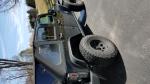
Next up was mounting the radio. I definitely knew I wanted to have the radio mounted in a hidden location. I originally wanted to mount the radio under the dash, but after taking the dash apart I realized that my factory Alpine amplifier was mounted under the steering wheel exactly where I wanted to put it. I may try and fabricate a bracket down the road and mount it under there, but choice #2 was under the drivers seat. It fits perfectly under there and the power wire barely makes it. It allows easy access to everything including the USB outlet, and also allows for great unobstructed sound from the built in speaker. On a side note the microphone has a built in speaker as well, and you can use one or both at the same time.
With the radio mounted you simply plug in the power wires and coax cable, and plug in the microphone. I picked up the Midland microphone extension and routed that through the dash and out to the passenger side.
Lastly just mount the microphone bracket and hook up the microphone.
That's it. Everything is hooked up and working great. I tested it with one of the GTX1030 handheld radios and the reception is crystal clear. The power button is located on the microphone. There are a ton of features built into the microphone which I will get into later. The sound prom the speakers is clear and powerful. Not tinny sounding like some of the external speakers out there. Next up will be some range testing in the city using the 3db ghost antenna, and I may pick up the 6db antenna down the road to compare the two. Then I will get out in an open area to see what kind of range I can get unobstructed. Unfortunately the handheld radios don't have the range to keep up with this 50 watt powerhouse, so hopefully I can find someone else with a mobile setup to help with the testing. I did drive a few miles into the city and although I lost contact with the person using the handheld, they said they could still hear me crystal clear.
A few pictures of the finished product.
Last edited by Ryan0260; Aug 21, 2022 at 06:01 PM.
I want to go over some of the features of the MXT575.
Full 50 watt radio, the maximum transmitting power for GMRS allowed by the FCC. Midland is one of only a few to offer this.
USB-C fast charging port. Will charge multiple devices up to 36 watts including phones, tablets, and laptops. The port is located on the radio base.
Fully integrated control mic. All the functions are contained within the microphone and the menus are easy to navigate. You can also change between 7 custom display colors as well as enable or disable the speaker on the microphone. I chose to enable both the handheld and the external speaker on the radio itself and it sounds really good. Loud and clear. I really like the simplicity of all the functions on the microphone.
15 high power GMRS channels. Split tone repeater capable.
142 privacy codes
Adjustable power settings low and high. Note, only channels 1-7 only operate on the low power setting
NOAA weather scan + alert
Narrow and wide band. Most GMRS operate in the narrow band but the MXT575 allows you to select and operate in the wide band as well.
Programmable squelch
Monitor mode
Keystroke tones
Detachable radio mount
Keypad lock
Silent operation
Speaker mic jack to add a second external speaker if you want.
I can't say enough good things about the MXT575. It is night and day better than the CBs I have used for many years. The fit and finish are top notch. I do want to try a few different antennas, but the 3db ghost antenna is surprisingly good considering how compact it is. Now if I can just find someone else locally that has this same radio or one with the same power so I can do some long range testing...
Here is a picture of my handheld GMRS radio. It is a Midland GXT1030. These are perfect trail companions to keep on hand as a backup radio. Perfect for communicating when on the trail or spotting someone, or with a group of people that don't have a mobile radio and need a loaner. These are great radios with impressive range and are very affordable and easy to use.
I just wanted to let you know that the great folks over at Midland have offered to give JK-Forum users a discount code for 15% off all eligible products. If any of you are in the market for some great radios and accessories this is a great opportunity to do so. The code is JKForum15.
Quick note for anyone that picks this radio up. If you decide to hook the radio directly to the battery as I did, I recommend unplugging the microphone when not in use. This radio draws power even with the microphone turned off. If you just unplug the mic cable from the radio, there is no longer a draw. Not a big deal at all. I may wire to a relay or my sPOD sometime in the future, but for now unplugging the microphone is fine. This radio is an absolute powerhouse with fantastic range.





 Midland MXT575 GMRS Micro Mobile Radio