Notices
Forum Support Please post Jeep questions in the technical forums. If you're new to JK-Forum and have questions on how to post photographs, use the search function for optimal results, modify your signature or profile, resolve issues you might be having logging in or just about anything else including where to find newbie JK FAQ's, this is the place to start!

How do you post large pictures?

Thread Tools
 
Old Dec 21, 2011 | 07:08 PM
  #1  
Mjkrakow's Avatar
Thread Starter
JK Enthusiast
 
Joined: Jun 2011
Posts: 205
Likes: 1
From: Calgary, Alberta
Default How do you post large pictures?

Hey. I thought I saw this question before but I could find it. So if anyone could point me in the right direction.

How do you post pictures so they are the full size vs the small thumbnails that you have to click on to enlarge?

Thanks in advance!
Reply
Old Dec 21, 2011 | 07:10 PM
  #2  
Wartoy's Avatar
JK Super Freak
 
Joined: May 2010
Posts: 1,149
Likes: 0
From: Poway
Default

Originally Posted by Mjkrakow
Hey. I thought I saw this question before but I could find it. So if anyone could point me in the right direction.

How do you post pictures so they are the full size vs the small thumbnails that you have to click on to enlarge?

Thanks in advance!
If you want to do that you have to open up a photobucket (or other photo hosting service) account, and then it'll make specific link for you once you upload your pictures. In some format that looks like this [.img]your picture name[../img]. Then you copy and paste that here on JKF
Reply
Old Dec 21, 2011 | 07:10 PM
  #3  
Croce's Avatar
JK Super Freak
 
Joined: Feb 2010
Posts: 1,652
Likes: 5
From: Avondale, Arizona
Default

You have to upload the pic to photobucket or imageshack..ect then paste the link inside the thread
Reply
Old Dec 21, 2011 | 07:14 PM
  #4  
Mjkrakow's Avatar
Thread Starter
JK Enthusiast
 
Joined: Jun 2011
Posts: 205
Likes: 1
From: Calgary, Alberta
Default

Is there anyway to do it without subscribing to a third party site??
Reply
Old Dec 21, 2011 | 07:27 PM
  #5  
Croce's Avatar
JK Super Freak
 
Joined: Feb 2010
Posts: 1,652
Likes: 5
From: Avondale, Arizona
Default

Originally Posted by Mjkrakow
Is there anyway to do it without subscribing to a third party site??

No you have to upload your photos there if you want them to be full size, otherwise they will always be thumbnail size if you upload them directly from the forum
Reply
Old Dec 21, 2011 | 07:31 PM
  #6  
Mjkrakow's Avatar
Thread Starter
JK Enthusiast
 
Joined: Jun 2011
Posts: 205
Likes: 1
From: Calgary, Alberta
Default test


Reply
Old Dec 21, 2011 | 07:33 PM
  #7  
Mjkrakow's Avatar
Thread Starter
JK Enthusiast
 
Joined: Jun 2011
Posts: 205
Likes: 1
From: Calgary, Alberta
Default

Originally Posted by Croce
No you have to upload your photos there if you want them to be full size, otherwise they will always be thumbnail size if you upload them directly from the forum
gotcha!. Thanks.
Reply
Old Dec 21, 2011 | 11:02 PM
  #8  
Mjkrakow's Avatar
Thread Starter
JK Enthusiast
 
Joined: Jun 2011
Posts: 205
Likes: 1
From: Calgary, Alberta
Default

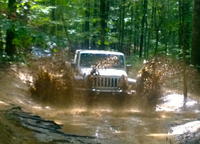
I think i got this whole large photos dilemma sorted out. Lol. Check it out.

https://www.jk-forum.com/forums/show...your-roof-rack!!
Reply
Old Jan 15, 2012 | 06:24 PM
  #9  
EK's JK's Avatar
JK Enthusiast
 
Joined: Apr 2011
Posts: 168
Likes: 0
From: Huntsville, AL
Default

So, when I try to insert the web address to photo bucket pics in the attachment manager it says that "the remote image is too large" What gives?
Reply
Old Jan 18, 2012 | 07:18 AM
  #10  
EK's JK's Avatar
JK Enthusiast
 
Joined: Apr 2011
Posts: 168
Likes: 0
From: Huntsville, AL
Default

Originally Posted by EK's JK
So, when I try to insert the web address to photo bucket pics in the attachment manager it says that "the remote image is too large" What gives?
Bump? Anyone.......??
Reply


All times are GMT -8. The time now is 02:53 AM.