


NOOB question!

JK Junkie
Joined: Dec 2007
Posts: 3,343
Likes: 3
From: Amherst, Ohio

my friend posted this on jeepskool for those who don't know how:
Originally Posted by 4pointslow
Post up those muddy Jeeps!!!
What? You don't know how?
It's easy!
Please follow these step-by-step instructions:
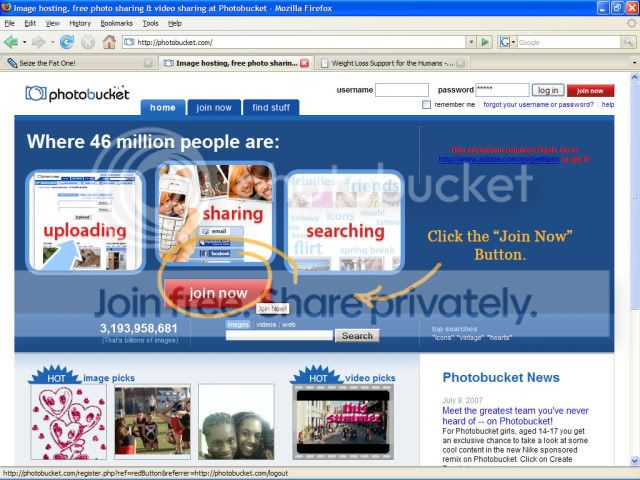
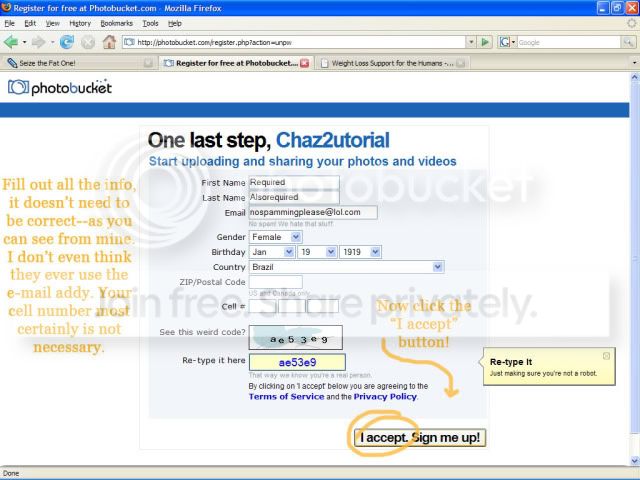
1. Log on to http://www.photobucket.com and create your own user account.
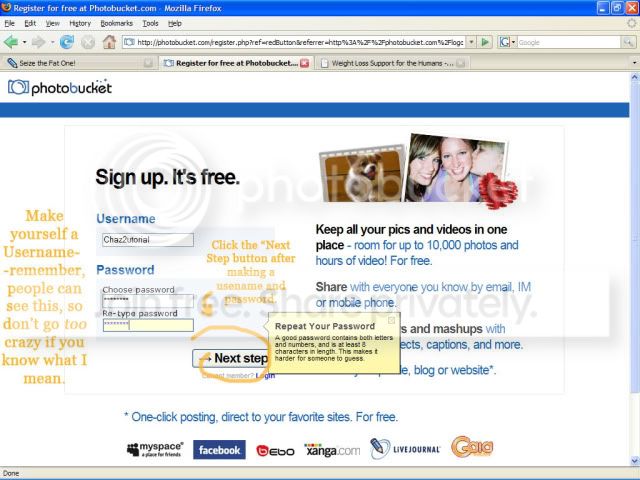
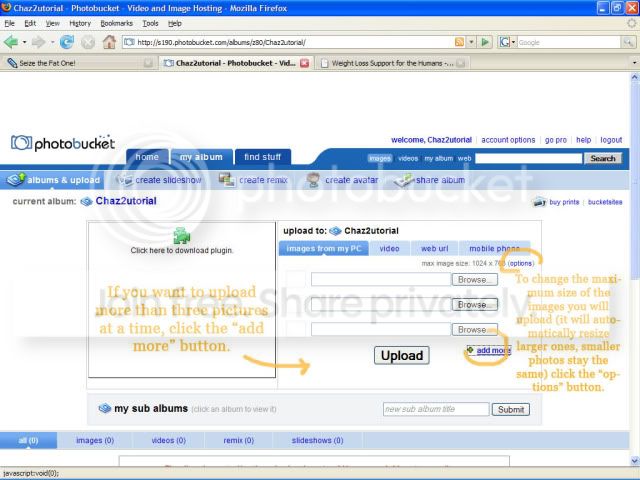
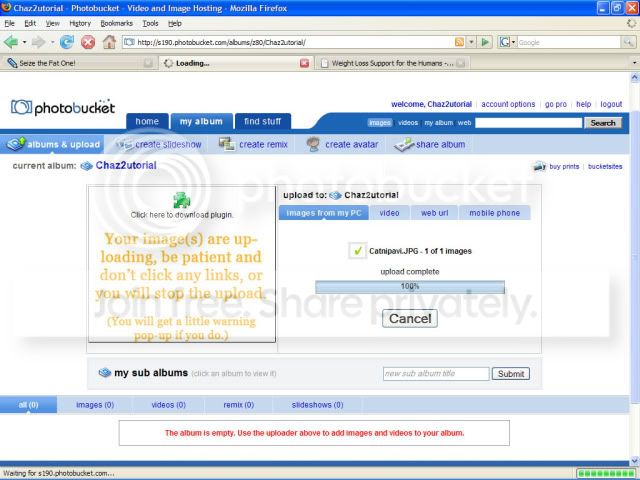
2. Click on "ALBUMS AND UPLOAD" and it should appear to look a little like this...
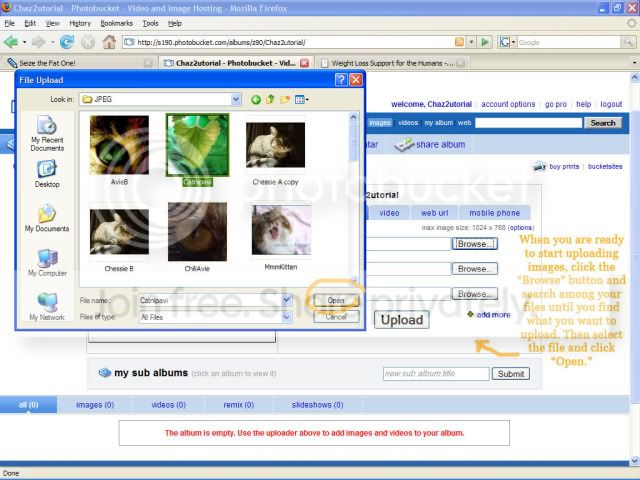
3. Click on "BROWSE" and select the picture(s) in the "FILE UPLOAD" window as it appears...
4. After you have selected your picture(s), click "UPLOAD"
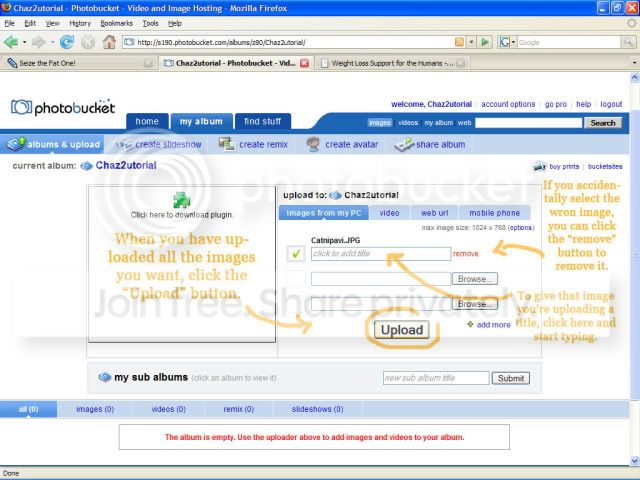
5. Once you have selected "UPLOAD" your images should be loading from your computer to the site and appear in your new photo album toward the bottom of the upload area...
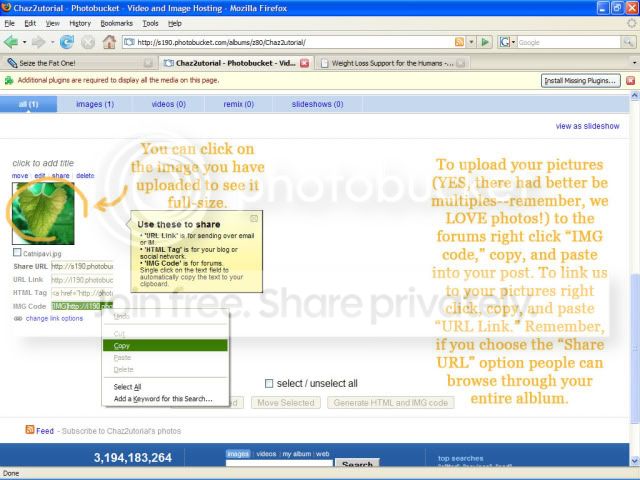
6. Locate the picture that you would like to post on Jeep Skool, click on the "IMG" link and copy it. Once you have copied the link, you will paste it into the forum thread that you are posting under.
THE END! : :
:
What? You don't know how?
It's easy!
Please follow these step-by-step instructions:
1. Log on to http://www.photobucket.com and create your own user account.
2. Click on "ALBUMS AND UPLOAD" and it should appear to look a little like this...
3. Click on "BROWSE" and select the picture(s) in the "FILE UPLOAD" window as it appears...
4. After you have selected your picture(s), click "UPLOAD"
5. Once you have selected "UPLOAD" your images should be loading from your computer to the site and appear in your new photo album toward the bottom of the upload area...
6. Locate the picture that you would like to post on Jeep Skool, click on the "IMG" link and copy it. Once you have copied the link, you will paste it into the forum thread that you are posting under.
THE END! :
: 
JK Jedi Master
Joined: Aug 2007
Posts: 15,665
Likes: 4
From: Hammond Louisiana