


Easy step by step instructions to upload custom waypoints into 430n


Thread Starter
JK Enthusiast
Joined: Aug 2011
Posts: 286
Likes: 2
From: Was:Palmdale, CA Now: Cedar City UT
 Easy step by step instructions to upload custom waypoints into 430n
I have compiled easy to follow step by step instructions of how to upload custom waypoints into the 430N. I have over 2 dozen trails and well over 500 waypoints in mine. I have even included how to enter comments as well as define speed zone areas:
REVISING_CUSTOM_POIs_GARMIN_430N_Wcomments.pdf.
KG6SLC aka Eugene
REVISING_CUSTOM_POIs_GARMIN_430N_Wcomments.pdf.
KG6SLC aka Eugene


Thread Starter
JK Enthusiast
Joined: Aug 2011
Posts: 286
Likes: 2
From: Was:Palmdale, CA Now: Cedar City UT
Too bad....
Although the 730N is considered the "premier" unit by Chrysler it does NOT have the capability of uploading waypoints. My 2011 JKU had a 730N and I liked many of the features it has that the 430N does not have. Unfortunately, it is only the 430N (of the two) that will accept custom waypoints uploads. That is specifically why I made certain that my 2013 JKU 10"A had the 430N.
KG6SLC aka Eugene
KG6SLC aka Eugene
Thread Starter
JK Enthusiast
Joined: Aug 2011
Posts: 286
Likes: 2
From: Was:Palmdale, CA Now: Cedar City UT
Sample screen shots
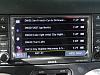
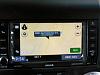
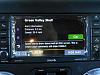
In answer to some that have asked what the custom waypoints look like and how they appear I have included a couple of photos showing actual screen shots.
Notice that DW10 appears between DW02 and DW03. ALL waypoints are listed in distance sequence from you.
My way to avoid confusion is to have the first two characters describe what the trail is and the next two characters describe the sequence in that trail ie DW02 is the second waypoint on the Drinkwater trail. Subsequent information will be to turn left, go straight, turn right etc. . You can see that if you are taking a loop and a subsequent waypoint is closer than the next step in the trail you see to take the correct next step rather than being confused seeing a returning waypoint as the next turnoff.
Good luck on uploading your own
KG6SLC aka Eugene[/QUOTE]
Notice that DW10 appears between DW02 and DW03. ALL waypoints are listed in distance sequence from you.
My way to avoid confusion is to have the first two characters describe what the trail is and the next two characters describe the sequence in that trail ie DW02 is the second waypoint on the Drinkwater trail. Subsequent information will be to turn left, go straight, turn right etc. . You can see that if you are taking a loop and a subsequent waypoint is closer than the next step in the trail you see to take the correct next step rather than being confused seeing a returning waypoint as the next turnoff.
Good luck on uploading your own
KG6SLC aka Eugene[/QUOTE]
Last edited by KG6SLC; Feb 9, 2015 at 10:31 AM.
