


Daystar Lower Dash Panel Write Up Part 2

Thread Starter
JK Newbie
Joined: Oct 2010
Posts: 20
Likes: 0
From: Menifee CA
 Daystar Lower Dash Panel Write Up Part 2
Continued from part one. The link is located here https://www.jk-forum.com/forums/show...Panel-Write-Up
Now you are ready to install the switch and wiring. I recommend running the wiring behind the gas pedal and up through the center column and lower dash panel.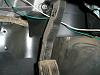
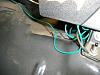
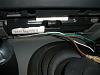 Once you have ran all of your wiring through the lower dash, put on the Daystar lower dash panel. The dash panel should already have the spot and or spots cut for the switch.
 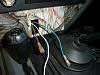 Run all of your wires through the back of the panel and out the hole for your switch. Once you have done this you can now hook up your switch to your wires and push the switch into place. The switch may be difficult to push in, this is actually what you want so the switch does not fall out of place. I found the best thing to do is to put the top part of the switch in first then push down. Once you have hooked up your wires, and put in the switch test it to make sure it works and you know have a sweet, practical spot for your switches.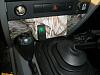
Now you are ready to install the switch and wiring. I recommend running the wiring behind the gas pedal and up through the center column and lower dash panel.