


Sub install write up


Thread Starter
JK Enthusiast
Joined: Jul 2012
Posts: 406
Likes: 1
From: Guelph, ON
 Sub install write up
So after a battle with trying to get good audio back into my commuting life I think i've found the perfect balance of budget, quality and power...
- kenwood bt852hd
- stock speakers/tweets all around
- rockford p300-12 powered sub
I started by installing the HU old school method, wiring harness, no can bus bs, just wire matching and attached the 12v power from the cigarette lighter in the dash that turns off with the car. I had previously eliminated all vibration in the sound bar, dash and polyfilled both cavities.
To remove dash:
Take out tray on above stereo to expose one of 4 bolt head screws that need to be removed.

Then pull the cover beneath the steering wheel off to expose 2 more of those screws.

Right side

Left side

Remove this tray (I don't have power windows so if you do you'll have to remove that) to expose the last bolt.

Now gently pull from the top towards you, it should just pop off in one piece.
Now you have access to wiring so if you haven't already, disconnect battery and prepare amp wiring (install inline fuse if it didn't come assembled) DO NOT REINSTALL AT THIS TIME!

Remove the 4 screws holding your HU in

At this point you should lay out your wiring path if you haven't done so. I wanted to have all the wiring hidden and making sure to keep power wires away from audio wires. So I routed power on the passenger side and audio underneath the centre console.
There is a hole in the firewall already that you just need to push through with a coat hanger or thick wire of some sort.
I pushed the wire from the inside to the engine bay and here's where it came out. (The side plastic panel pulls off with some elbow grease)

Then I taped my power wire to the coat hanger wire and pulled it through.

I then secured the fuse box to the battery holder in the engine bay with a self tapping screw.

After all that I removed the plastic kick plate to run the wire to the back.

Then I ran my wires underneath the carpet and came out here:
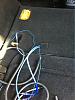
The wires in the pic are, power, remote and audio cables.
The audio cables also ran underneath the carpet and pop out under the driver's side seat, then I just ran them underneath the centre console and used my handy coat hanger thing to fish them up:


Then I used dremel to remove all paint from the cubby in the trunk to attach my ground to. I'm sure there are better ground points but I tried to keep the ground wire as short as possible so this worked well for me:


So after you have all your wiring laid out you can start terminating them into their respective sources. The sub/amp combo I installed had a harness for the ground, power and remote wires that set with a screw so I just stripped the wire and screwed them in.
Attached audio to amp, wired remote (to power on the amp)to HU, attached audio and attached the remote bass level thing that came with my amp.

So now, everything is hooked up and you can attach power wires to the battery post and reconnect power.
Test it out to make sure your grounds and powers are good, then reverse the process to reinstall everything.
Thats basically it, its very straight forward and easy for anyone to do. I was quote $150 to do all this so add that to the winch account.

The HU I have has sub outputs so adjusting gains as well as LPF and HPF for the fronts and sub was very easy.
I've tuned it where the sub handles all the lows and the front handles highs and mids. I did fade to front +5 and I am very happy with the sound balance.
All said and done this upgrade cost me less than $500 including wiring and all.
If someone would have demo'd the sound without telling me anything about the system i'd pay $1500 easy, it sounds that good. Huge bonus having the remote level control in the cubby in the front, I can adjust it quickly if I have to.
The factory speakers sound great now that they're not pushing bass, I might upgrade the tweets in the future but thats about it.
Sorry to all the hardcore guys that are unimpressed with this setup, but for the money it can't be beat. This thing pounds hard and I haven't even boosted the bass yet from the amp, no distortion, clean bass sounds from the rockford box.
Information on installs was scarce so i'm happy to answer questions if you have them. I'm a complete newb to all of this but if I can help I will.
Thanks
- kenwood bt852hd
- stock speakers/tweets all around
- rockford p300-12 powered sub
I started by installing the HU old school method, wiring harness, no can bus bs, just wire matching and attached the 12v power from the cigarette lighter in the dash that turns off with the car. I had previously eliminated all vibration in the sound bar, dash and polyfilled both cavities.
To remove dash:
Take out tray on above stereo to expose one of 4 bolt head screws that need to be removed.
Then pull the cover beneath the steering wheel off to expose 2 more of those screws.
Right side
Left side
Remove this tray (I don't have power windows so if you do you'll have to remove that) to expose the last bolt.
Now gently pull from the top towards you, it should just pop off in one piece.
Now you have access to wiring so if you haven't already, disconnect battery and prepare amp wiring (install inline fuse if it didn't come assembled) DO NOT REINSTALL AT THIS TIME!
Remove the 4 screws holding your HU in
At this point you should lay out your wiring path if you haven't done so. I wanted to have all the wiring hidden and making sure to keep power wires away from audio wires. So I routed power on the passenger side and audio underneath the centre console.
There is a hole in the firewall already that you just need to push through with a coat hanger or thick wire of some sort.
I pushed the wire from the inside to the engine bay and here's where it came out. (The side plastic panel pulls off with some elbow grease)
Then I taped my power wire to the coat hanger wire and pulled it through.
I then secured the fuse box to the battery holder in the engine bay with a self tapping screw.
After all that I removed the plastic kick plate to run the wire to the back.
Then I ran my wires underneath the carpet and came out here:
The wires in the pic are, power, remote and audio cables.
The audio cables also ran underneath the carpet and pop out under the driver's side seat, then I just ran them underneath the centre console and used my handy coat hanger thing to fish them up:
Then I used dremel to remove all paint from the cubby in the trunk to attach my ground to. I'm sure there are better ground points but I tried to keep the ground wire as short as possible so this worked well for me:
So after you have all your wiring laid out you can start terminating them into their respective sources. The sub/amp combo I installed had a harness for the ground, power and remote wires that set with a screw so I just stripped the wire and screwed them in.
Attached audio to amp, wired remote (to power on the amp)to HU, attached audio and attached the remote bass level thing that came with my amp.
So now, everything is hooked up and you can attach power wires to the battery post and reconnect power.
Test it out to make sure your grounds and powers are good, then reverse the process to reinstall everything.
Thats basically it, its very straight forward and easy for anyone to do. I was quote $150 to do all this so add that to the winch account.
The HU I have has sub outputs so adjusting gains as well as LPF and HPF for the fronts and sub was very easy.
I've tuned it where the sub handles all the lows and the front handles highs and mids. I did fade to front +5 and I am very happy with the sound balance.
All said and done this upgrade cost me less than $500 including wiring and all.
If someone would have demo'd the sound without telling me anything about the system i'd pay $1500 easy, it sounds that good. Huge bonus having the remote level control in the cubby in the front, I can adjust it quickly if I have to.
The factory speakers sound great now that they're not pushing bass, I might upgrade the tweets in the future but thats about it.
Sorry to all the hardcore guys that are unimpressed with this setup, but for the money it can't be beat. This thing pounds hard and I haven't even boosted the bass yet from the amp, no distortion, clean bass sounds from the rockford box.
Information on installs was scarce so i'm happy to answer questions if you have them. I'm a complete newb to all of this but if I can help I will.
Thanks


Thread Starter
JK Enthusiast
Joined: Jul 2012
Posts: 406
Likes: 1
From: Guelph, ON
Thanks guys!
And top down it still kicks solid before highway speeds, above highway u feel it more than u can hear it.
RF makes a box just like this for their 10" subs, i think its p300-10
And top down it still kicks solid before highway speeds, above highway u feel it more than u can hear it.
RF makes a box just like this for their 10" subs, i think its p300-10