


what photo shop can do for you!


Thread Starter
JK Super Freak
Joined: May 2007
Posts: 1,766
Likes: 2
From: Martinsburg, WV
 what photo shop can do for you!
I really wanted to put this in the show and tell... but i have a feeling it would've been moved here against it's will... plus, in the show and tell, it would get more main stream attention. i don't think this sub area of the fun in the sun area gets a lot of hits... 
*ahem*
so... the point of this... just been playing with photo shop a bit and wanted to share what a difference a few hours in photo shop can make on an image.... and bare with me, this is just a first good run... like all things, it'll get better with time... and now that i've figured this out, i'll be doing it a lot more!
anyway... so you got an "ok" photo... like this one...
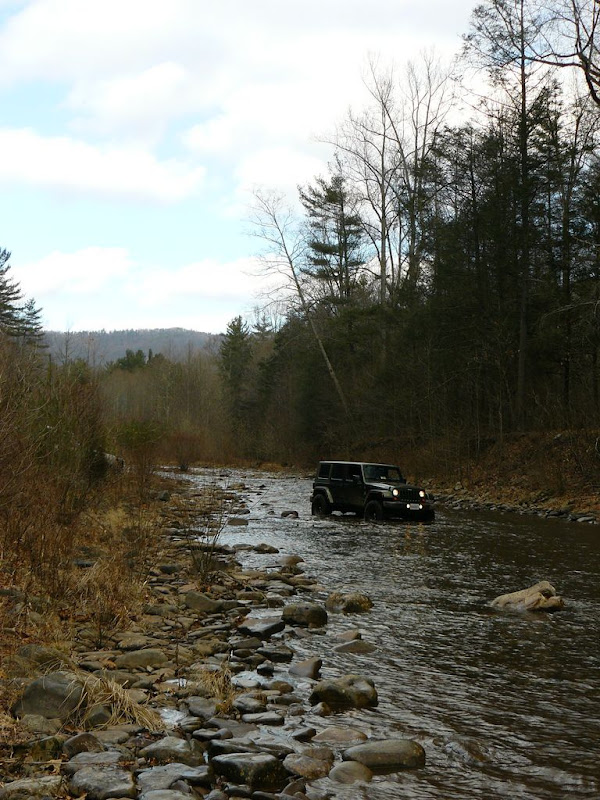
the sky is "so-so" and the colors are just not there... the angle is nice... the subject is in a good position... but this photo just doesn't do anything.
so... into photo shop... first seperate the sky and the ground... play with the color levels, a little burning here... some dodging here... and after enough time...
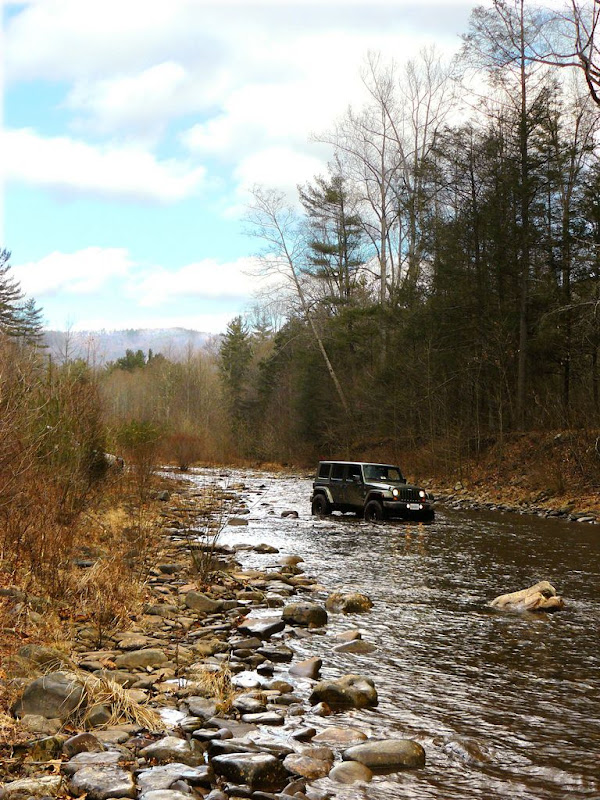
now... granted, this is is like the 20th try... and so far the best i've done... give me another 20 and i might be able to knock some socks off....
anyone else got some before-after shots compliments of photoshop?
*ahem*
so... the point of this... just been playing with photo shop a bit and wanted to share what a difference a few hours in photo shop can make on an image.... and bare with me, this is just a first good run... like all things, it'll get better with time... and now that i've figured this out, i'll be doing it a lot more!
anyway... so you got an "ok" photo... like this one...
the sky is "so-so" and the colors are just not there... the angle is nice... the subject is in a good position... but this photo just doesn't do anything.
so... into photo shop... first seperate the sky and the ground... play with the color levels, a little burning here... some dodging here... and after enough time...
now... granted, this is is like the 20th try... and so far the best i've done... give me another 20 and i might be able to knock some socks off....
anyone else got some before-after shots compliments of photoshop?
JK Freak
Joined: Sep 2008
Posts: 566
Likes: 2
From: Nasvhille, Tennessee

It could be cause I just took my contacts out and put my glasses on, but the image looks a little to hot on the saturation side. Trust me, I love some saturation in a pic. It'll really bring out some bold colors, but I've learned that moderation is key with keeping the picture realistic looking. Definitely a huge step up from the original. If you ever get a chance, try out Adobe Lightroom. Man it's got an awesome interface. I'm sad my trail version is over. Good luck either way and keep shootin awesome pics. It allows people like myself, that don't get to wheel as much as I'd like, to be able to live vicariously through them. 
-Chad-
-Chad-
Thread Starter
JK Super Freak
Joined: May 2007
Posts: 1,766
Likes: 2
From: Martinsburg, WV
i'll have to check this light room program out... i've heard of it before, but kept looking past it.
I do have CS3 for photoshop. I've been using layers like crazy to get stuff to work.
but as i've said... i'm stil learning all the things in photoshop. Heck, i still don't have the camera mastered, but i'm getting there.
I do have CS3 for photoshop. I've been using layers like crazy to get stuff to work.
but as i've said... i'm stil learning all the things in photoshop. Heck, i still don't have the camera mastered, but i'm getting there.

JK Super Freak
Joined: Oct 2007
Posts: 1,476
Likes: 0
From: Jackson Hole, Wyoming
I use Photoshop CS2. I love it! I've used Photoshop for several years now and have made it a hobby. I love to retouch pictures. You are doing a nice job, keep it up. It gets easier and more fun as you get experience.

JK Enthusiast
Joined: Oct 2007
Posts: 190
Likes: 0
From: Beaumont, Ca
Overcast and cloudy skies are tough to shoot. In my opinion the sky is blown out in both photos. The subject is underexposed. This is a very common problem with overcast skies. I should know cuz I haven't figured it out. It also look slightly oversharpened by the look of the rock in the foreground.
The photo is a nicely composed shot. My suggestion is next time bracket the photo or drop down a stop or 2 to the underexposed side. Then when you adjust the lighting the sky isn't as blown out. However not to underexposed then you get noise.
Also try a polarizer or/and a neutral density filter.
What camera equipment are you using?
The photo is a nicely composed shot. My suggestion is next time bracket the photo or drop down a stop or 2 to the underexposed side. Then when you adjust the lighting the sky isn't as blown out. However not to underexposed then you get noise.
Also try a polarizer or/and a neutral density filter.
What camera equipment are you using?
Thread Starter
JK Super Freak
Joined: May 2007
Posts: 1,766
Likes: 2
From: Martinsburg, WV
Overcast and cloudy skies are tough to shoot. In my opinion the sky is blown out in both photos. The subject is underexposed. This is a very common problem with overcast skies. I should know cuz I haven't figured it out. It also look slightly oversharpened by the look of the rock in the foreground.
The photo is a nicely composed shot. My suggestion is next time bracket the photo or drop down a stop or 2 to the underexposed side. Then when you adjust the lighting the sky isn't as blown out. However not to underexposed then you get noise.
Also try a polarizer or/and a neutral density filter.
What camera equipment are you using?
The photo is a nicely composed shot. My suggestion is next time bracket the photo or drop down a stop or 2 to the underexposed side. Then when you adjust the lighting the sky isn't as blown out. However not to underexposed then you get noise.
Also try a polarizer or/and a neutral density filter.
What camera equipment are you using?
heh, yeah, over casting skys are my killer. i've done countless photo's where the subject is great, but the sky is one giant white light bulb.

Whats wierd is, that is -1 step. The first one i took the sky had no detail to it at all. so i stepped it down a notch and got a little bit in. but it was still very washed out and the ground started getting too dark.
and i was using a CPL filter with a UV filter for the shot. I need to make the investment in a good ND filter set. i found one i like that comes with a +1, +2, +5, and a +10.
and the camera i'm using is a panasonic DMC-FZ8. not a bad camera for now. i want to get a DSLR someday, but i just don't have the money. this is 1 step down from an SLR.
it can do good photos... without any help from PS
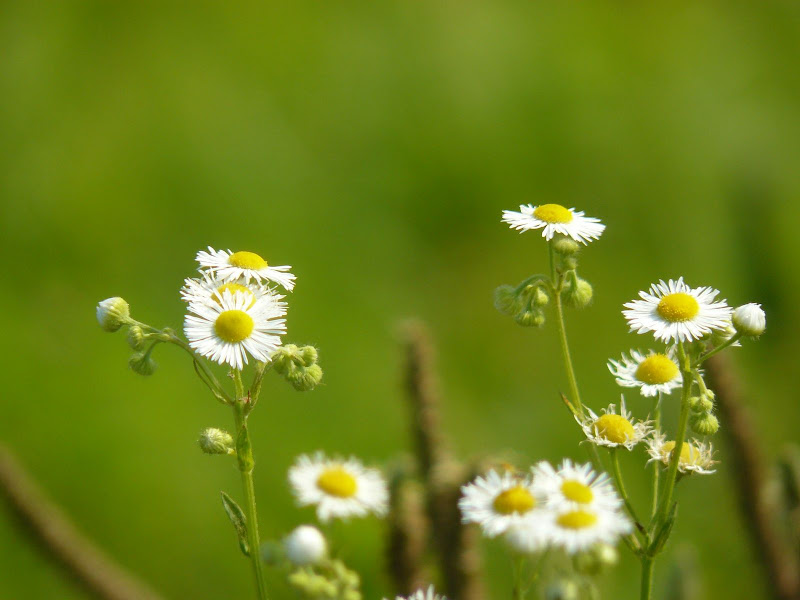
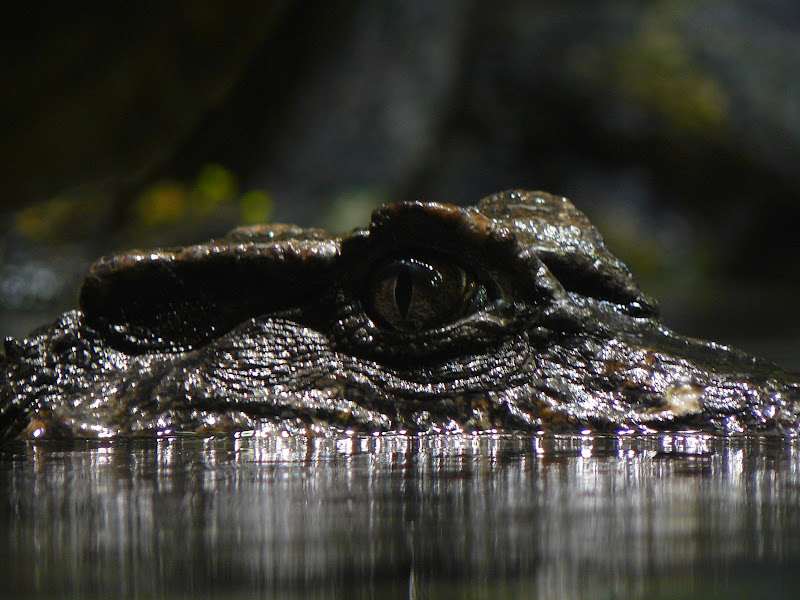
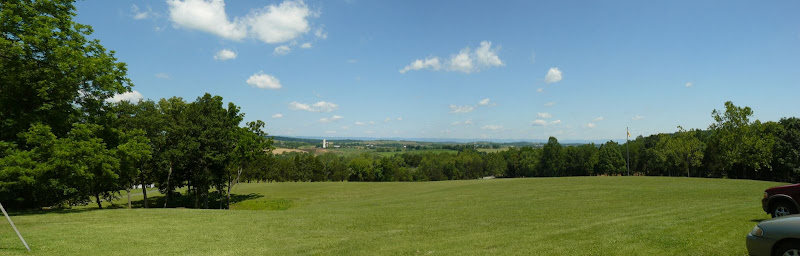
so it's not the camera... its me
i think my one problem in my origional picture is that the sun wasn't behind me (it was almost infront really) and the sun was behind a cloud at the time of the photo which sort of flooded everything.
JK Jedi Master


Joined: Mar 2007
Posts: 14,800
Likes: 374
From: Midwest City, OK
Using the Graduated Density (GD) Filter to Control Lighting in Outdoor Photography
And here's an example of a couple images I shot while driving the Jeep through the Winding Staircase Mountains in southeast Oklahoma (left without, right with a GD/GND filter):

Trending Topics
Thread Starter
JK Super Freak
Joined: May 2007
Posts: 1,766
Likes: 2
From: Martinsburg, WV
I would suggest Woody is right. Bracketing will help. One normal exposure, one over, and one under. Usually a half stop or 1 stop. Also if you expose for your highlights you'll find less details in the shadows but the pictures won't have the glare. Don't forget the curves feature in Photoshop where you can set your black and white points. The burn and dodge tools can be use on the sky as well as the foreground and middle ground. This is why Camera Raw is so great, but you can only access it if your images are RAW. This is where you can adjust your exposure. Just play and don't be afraid to try things. Point and shoots can be hard to work with, a DSLR is definitely the way to go. Maybe pick up a class at the local City College, you'll learn a ton.
Bracketing isn't a problem for me... HDR's wouldn't be possible without it. And I'm sure you've seen my photos in that thread.

I did take 3 years of photo class in high school... but I’ve got to be honest... 2 of those years was because there was this hot chick in the class...


But I did pick up a lot of things (besides her), as far as how the camera's work and the basic principal of lighting. But due to budget restraints in my school, we never got much real world practice.
That’s really what I need, just to go out more and take photos. It’s why I got a digital camera; I can take 1200+ photos on a single memory card... waaaaayyyy cheaper then film.
and while my camera has a "dummy mode" which I use when I have to give the camera to my parents or someone that has no clue what to do when they see a camera like mine so that they can use it... it’s far from a point and shoot, no doubt.
JK Enthusiast
Joined: Oct 2007
Posts: 190
Likes: 0
From: Beaumont, Ca
Atom,
I like that Alligator shot. Really cool. I was hoping for something like that when I went to the south in 2003 but didn't get a good grab at one.
Also I was worried about my post coming off to harsh. Glad you took it as I was hoping.
Skies to me are like herding cats. I always have my polarizer with me but don't always use it.
I couldn't tell if you said you always keep your ca,era set at -.7? The brighter the day the more I have to take away from exposure. Like today here in So Cal with a storm coming in I would start at -.3 and look at the histogram. But I am still such a newbie it's a crap shoot for me.
I like that Alligator shot. Really cool. I was hoping for something like that when I went to the south in 2003 but didn't get a good grab at one.
Also I was worried about my post coming off to harsh. Glad you took it as I was hoping.
Skies to me are like herding cats. I always have my polarizer with me but don't always use it.
I couldn't tell if you said you always keep your ca,era set at -.7? The brighter the day the more I have to take away from exposure. Like today here in So Cal with a storm coming in I would start at -.3 and look at the histogram. But I am still such a newbie it's a crap shoot for me.
JK Enthusiast
Joined: Oct 2007
Posts: 190
Likes: 0
From: Beaumont, Ca
I did take 3 years of photo class in high school... but I’ve got to be honest... 2 of those years was because there was this hot chick in the class...
But I did pick up a lot of things (besides her), as far as how the camera's work and the basic principal of lighting. But due to budget restraints in my school, we never got much real world practice.
But I did pick up a lot of things (besides her), as far as how the camera's work and the basic principal of lighting. But due to budget restraints in my school, we never got much real world practice.
Well did you ever date the girl? Do tell and what's that smiley????
Oh yeah...this thread is worthless without pics!!

