


Post you best electronic mod.....


JK Super Freak
Joined: Jan 2007
Posts: 1,157
Likes: 0
From: Arkansas / Alabama

JK Enthusiast
Joined: Feb 2007
Posts: 234
Likes: 0
From: Yorkville, IL

Here is mine....Pioneer 7" touch screen, DVD navi, back-up camera, and displays video from the factory DVD radio.
My little one can watch movies while I still hear turn by turn navi instructions, and when I shift to reverse, the camera automatically shows up on the screen,
or I can push a button and watch the camera while driving down the road
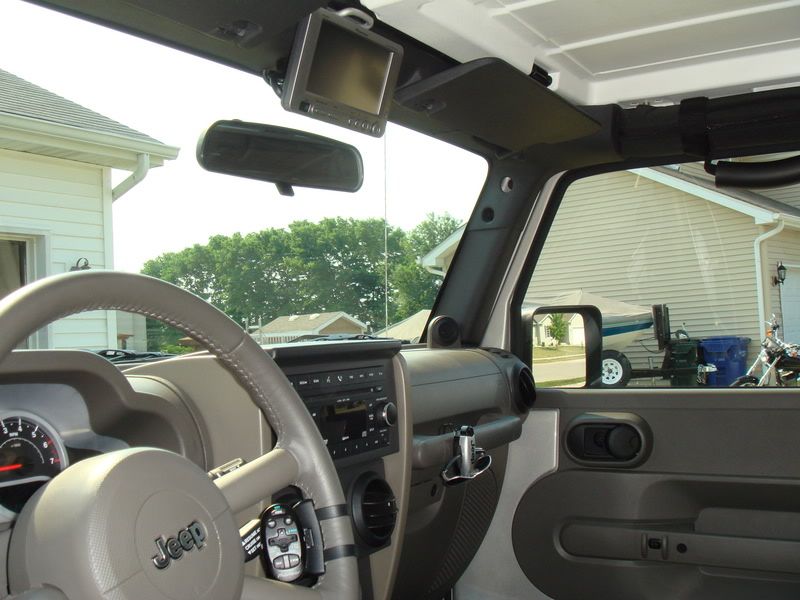
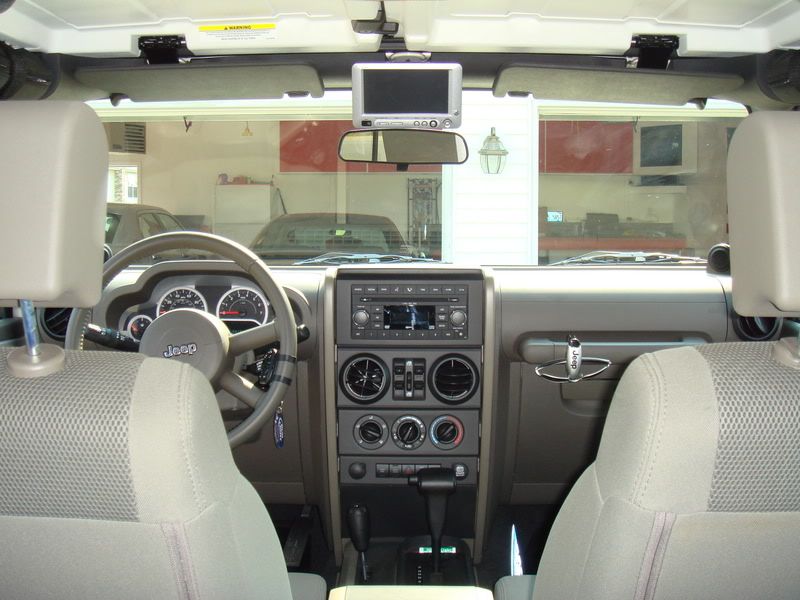
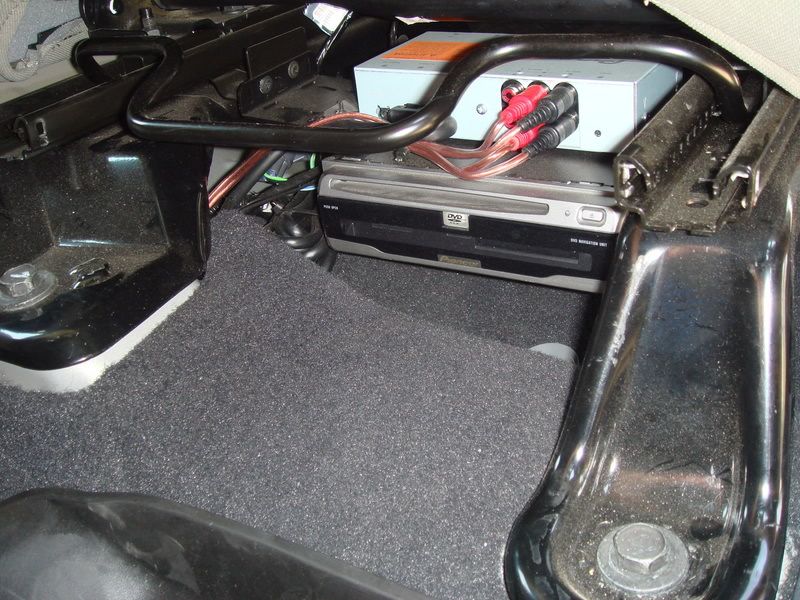
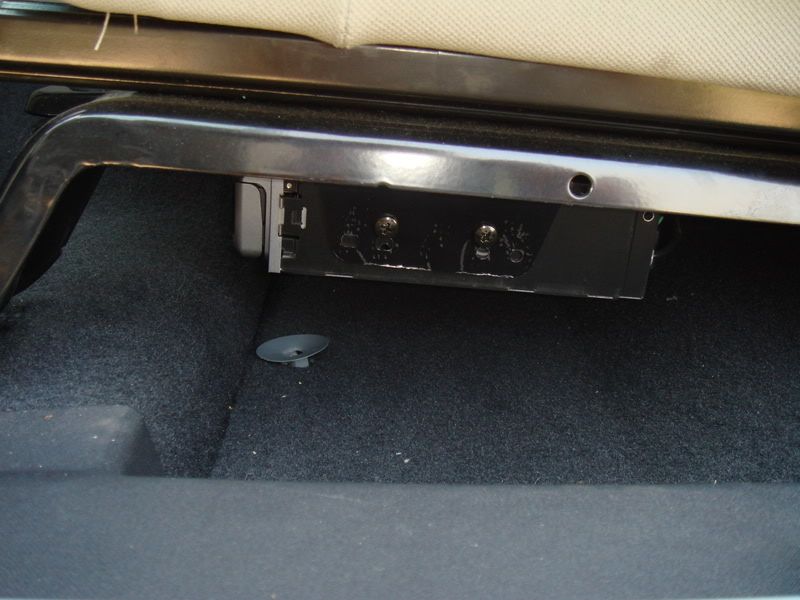
DVD navi and the screens box are mounted to the underside of the seat, off the floor and doesn't mess with the seat movement...
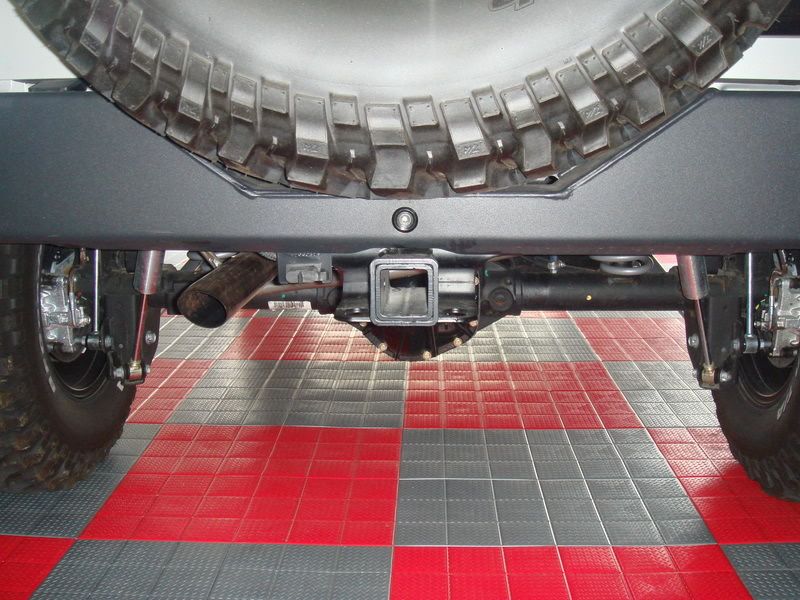
Flush mount camera mounted into the bumper...
My little one can watch movies while I still hear turn by turn navi instructions, and when I shift to reverse, the camera automatically shows up on the screen,
or I can push a button and watch the camera while driving down the road
DVD navi and the screens box are mounted to the underside of the seat, off the floor and doesn't mess with the seat movement...
Flush mount camera mounted into the bumper...
Last edited by Eracer76; Aug 21, 2007 at 09:05 PM.
JK Super Freak
Joined: Jun 2007
Posts: 1,461
Likes: 0
From: MD DC area
Here is mine....Pioneer 7" touch screen, DVD navi, back-up camera, and displays video from the factory DVD radio.
My little one can watch movies while I still hear turn by turn navi instructions, and when I shift to reverse, the camera automatically shows up on the screen,
or I can push a button and watch the camera while driving down the road
DVD navi and the screens box are mounted to the underside of the seat, off the floor and doesn't mess with the seat movement...
Flush mount camera mounted into the bumper...
My little one can watch movies while I still hear turn by turn navi instructions, and when I shift to reverse, the camera automatically shows up on the screen,
or I can push a button and watch the camera while driving down the road
DVD navi and the screens box are mounted to the underside of the seat, off the floor and doesn't mess with the seat movement...
Flush mount camera mounted into the bumper...

JK Enthusiast
Joined: Feb 2007
Posts: 234
Likes: 0
From: Yorkville, IL
I just found some back-up camera off ebay for $40 and it actually works pretty good.
It works good for seeing little kids/bikes and hooking up the boat too

Trending Topics

JK Enthusiast
Joined: Aug 2007
Posts: 246
Likes: 0
From: San Diego
Here is mine....Pioneer 7" touch screen, DVD navi, back-up camera, and displays video from the factory DVD radio.
My little one can watch movies while I still hear turn by turn navi instructions, and when I shift to reverse, the camera automatically shows up on the screen,
or I can push a button and watch the camera while driving down the road [/IMG]
My little one can watch movies while I still hear turn by turn navi instructions, and when I shift to reverse, the camera automatically shows up on the screen,
or I can push a button and watch the camera while driving down the road
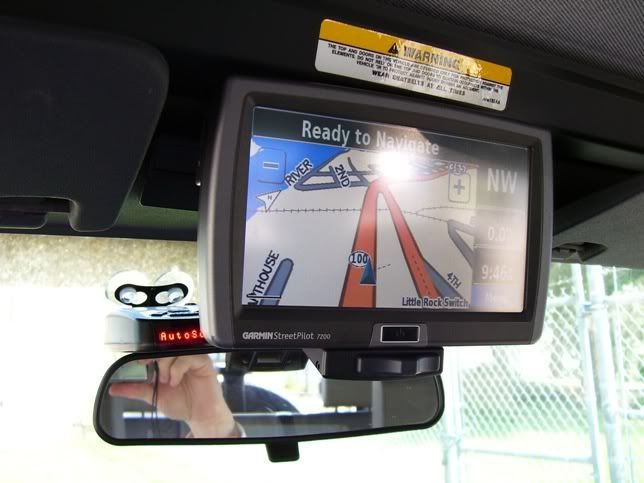
[/IMG]I'm thinking about a 7" LCD above the mirror that I'll hook into the DVD stock HU and also for front/rear cameras. I may get the Garmin 7200 so I have navigation and a monitor all in one but it's a bit pricey. How much was the seperate DVD navi system?
How are you able to watch DVDs and still hear directions?
If I did a front and rear monitor, could I have navi on the front and DVD in the rear? I was thinking about a video switcher install so I could switch around all the feeds --- DVD in rear, navi in front, rear camera in front and front camera on rear display, dvd video in front AND rear at once, etc etc.
Just trying to piece it all together and get an idea of how I want to tackle this project.
JK Super Freak
Joined: Jan 2007
Posts: 1,157
Likes: 0
From: Arkansas / Alabama
I'm thinking about a 7" LCD above the mirror that I'll hook into the DVD stock HU and also for front/rear cameras. I may get the Garmin 7200 so I have navigation and a monitor all in one but it's a bit pricey. How much was the seperate DVD navi system?
How are you able to watch DVDs and still hear directions?
How are you able to watch DVDs and still hear directions?
JK Enthusiast
Joined: Aug 2007
Posts: 246
Likes: 0
From: San Diego
With the Garmin 7200, I can remove it to prevent theft and I can put it in any vehicle I want to. With all this being said... this has just worked great for me... some of you may not agree and prefer the permanent install. All I know is I sure enjoyed installing it and I love using even more! Great set-up you have there, Eracer76.
And I don't REALLY need navigation (haven't had it all these years and get by just fine) but it would be a bonus. So I was looking at JUST LCD monitors that are anywhere form $120-400. But the downside would be manually switching the video feeds, but that's not a huge deal for me if I can easily control that manually.