Notices
JK Show & Tell Whether they're just poser shots in your driveway or hardcore action shots on the trail, if you've got photos or videos of your Jeep JK Wrangler (or any JK for that matter that you think is worth showing off, inside or out), we want to see them so please post them here! Likewise, if you are wanting to see a photo of something specific like an aftermarket JK part or poser shot with a specific setup, this is the place to ask for it.

Expedition Modded Jeeps - Let's see 'em!!

Thread Tools
 
Old Feb 24, 2016 | 01:06 AM
  #5721  
Mark Doiron's Avatar
JK Jedi Master
Veteran: Air Force
FJOTM Winner
15 Year Member
Liked
 
Joined: Mar 2007
Posts: 14,800
Likes: 374
From: Midwest City, OK
Default

Originally Posted by Septu
...

On a side note, Mark, you need to make that picture smaller! Scrolling all the time sucks.
Which picture? And are you having a problem with your browser? I don't see anything where I have to scroll (I assume you mean sideways).
Reply
Old Feb 24, 2016 | 03:22 AM
  #5722  
Kojack's Avatar
JK Junkie
 
Joined: May 2011
Posts: 3,213
Likes: 21
From: Grand falls, Newfoundland
Default

Originally Posted by Mark Doiron
Which picture? And are you having a problem with your browser? I don't see anything where I have to scroll (I assume you mean sideways).
For the past month or so Mark, your pictures have been showing up HUGE!!!!!
Reply
Old Feb 24, 2016 | 03:24 AM
  #5723  
Kojack's Avatar
JK Junkie
 
Joined: May 2011
Posts: 3,213
Likes: 21
From: Grand falls, Newfoundland
Default

Originally Posted by Septu
Yeah they work pretty well. I do a lot of night driving (and in the middle of winter it gets dark early). So with all the animals we have up here (moose suck), I want to be able to see what's going on around me - hence the lights.

On a side note, Mark, you need to make that picture smaller! Scrolling all the time sucks.
Yeah, same here. I laugh at everyone bitching at me all the time because I have lights that put light out 1000m...Most of these guys have the little led bars, and live where lighted roads are the norm. Hit a moose in your rig and then come talk to me. I hit one, and that's to many! The longer and farther I can see, the better IMO.
Reply
Old Feb 24, 2016 | 05:21 AM
  #5724  
Mark Doiron's Avatar
JK Jedi Master
Veteran: Air Force
FJOTM Winner
15 Year Member
Liked
 
Joined: Mar 2007
Posts: 14,800
Likes: 374
From: Midwest City, OK
Default

Originally Posted by Kojack

For the past month or so Mark, your pictures have been showing up HUGE!!!!!
On what? I'm not seeing that. I use Chrome on Win 7. And the forum app on my phone.
Reply
Old Feb 24, 2016 | 05:30 AM
  #5725  
Septu's Avatar
JK Enthusiast
 
Joined: Sep 2012
Posts: 478
Likes: 0
From: Yukon, Canada
Default

Originally Posted by Mark Doiron
Which picture? And are you having a problem with your browser? I don't see anything where I have to scroll (I assume you mean sideways).
Mark, in this case it's this post: HERE. However if you look at the post you're quoting (HERE) it shows up normal. So I'm not sure what your browser is doing, but it's not posting the nice small forum size pictures that one can enlarge... instead it looks like it's posting the actual size - which results in a lot of scrolling side to side. It's so big that even maximized on a 27" monitor I still have to scroll side to side to get to the post/reply button.

I run Firefox.

Originally Posted by Kojack
For the past month or so Mark, your pictures have been showing up HUGE!!!!!
Glad it's not just me.
Reply
Old Feb 24, 2016 | 06:47 AM
  #5726  
Desert Fox's Avatar
JK Freak
Veteran: Navy
 
Joined: May 2008
Posts: 744
Likes: 1
From: Escondido, CA
Cool I Thought It Was Just Me

Mark,

On the sunset photos of your JK, the door handle took up about 2/3rds of the screen. There were others. I'm on Internet Explorer.

Fred
Reply
Old Feb 24, 2016 | 07:12 AM
  #5727  
Machoo's Avatar
JK Freak
 
Joined: May 2014
Posts: 538
Likes: 11
From: Huntington Beach, CA
Default

Crazy all Marks photos have been showing up normally for me. I primarily use the mobile app however.
Reply
Old Feb 24, 2016 | 07:57 AM
  #5728  
KBennett2007's Avatar
JK Enthusiast
Vet Army

 
Joined: Jan 2010
Posts: 135
Likes: 0
From: UTAH
Default

Mark's pictures are showing up normal size on my browser as well. Keep em coming Mark.
Reply
Old Feb 24, 2016 | 10:45 AM
  #5729  
Mark Doiron's Avatar
JK Jedi Master
Veteran: Air Force
FJOTM Winner
15 Year Member
Liked
 
Joined: Mar 2007
Posts: 14,800
Likes: 374
From: Midwest City, OK
Default

Folks, I have changed nothing in how I prepare and upload images. Besides, that image is not one that I uploaded. I just linked the URL within the quote for the forum stored copy of the image.

Again, what browser is everyone using? Here's what my screen looks like with that image that several said was too large (reduced in size to 1000 X 562) ...
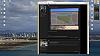
Click image for larger version

Name:	Image1.jpg
Views:	258
Size:	98.7 KB
ID:	638708

I will say that image size is controlled by several things, including the original image size, which is usually overridden by the other two: Browser and website software. JKF may have changed something, or if you're all using the same browser, you may have had a setting changed or a browser incompatibility with JKF's settings.
Reply
Old Feb 24, 2016 | 10:54 AM
  #5730  
Mark Doiron's Avatar
JK Jedi Master
Veteran: Air Force
FJOTM Winner
15 Year Member
Liked
 
Joined: Mar 2007
Posts: 14,800
Likes: 374
From: Midwest City, OK
Default

Okay, I found how to recreate the problem: Internet Explorer. Not sure what changed, but in Chrome they display just fine. When I widen the window, then the images get wider within the sidebars. It's a very convenient way to look at finer detail in an image. I'm not sure if MS did something, or if JKF did something, but I haven't changed anything about how I link in images. And, as mentioned, some of the images aren't even mine, anyway. I see that a post in 2013 is displaying exactly the same way.
Reply


All times are GMT -8. The time now is 06:28 PM.