When you click on links to various merchants on this site and make a purchase, this can result in this site earning a commission. Affiliate programs and affiliations include, but are not limited to, the eBay Partner Network.
JK Electrical, Lighting & Sound SystemsBulletin board forum regarding topics such as stereo head units, CD players, MP3 players, speaker systems, amplifiers, hardmounted GPS devices, computers, headlight upgrades, fog lights, off-road lights, general wiring and anti-theft devices.
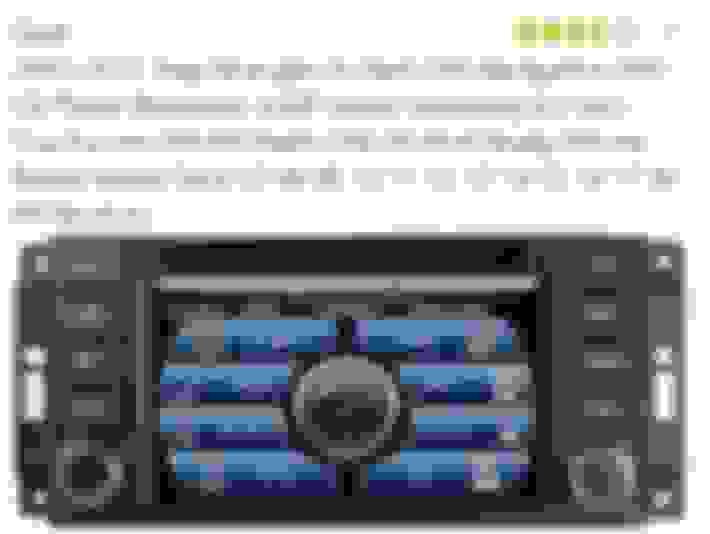
Bought a 2016 JKU and it has an aftermarket radio it appears.
I haven't been able to find instructions anywhere. I can't figure
how to set my damn radio stations. I have to turn the dial each
time I turn it on. Yeah I know but it is irritating as hell.
Actual radio picture
Only thing I could find online and is not available now
You likely need to do more research. I am not sure that radio you have listed from Amazon is yours. One idea is pull your radio out and look at the tags for the unit. My search led me all over the place using the model number from Amazon.
Try contacting the support lines for the ebay/amazon sellers and see if they can't provide a link to the instruction manual. If not, they should at least be able to connect you with the company they buy them from.
Sometimes buttons react differently when pressed. For example simply pressing the button will invoke one action while pressing and HOLDING the same button will often take one into a setup menu. I would try pressing and holding for 3 or 4 seconds if you haven't tried that already.




 Radio question